











downloads


vrayrhino

Return to V-Ray for Rhino Overview Page


SOME TOP STUDIOS USING
V-Ray for Rhino:


V-Ray for Rhino


Product Overview

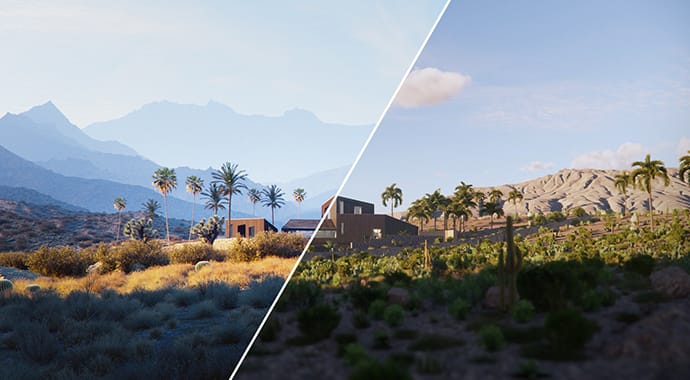
V-Ray for Rhino offers visualization professionals a state-of-the-art solution that generates high-quality images of unparalleled realism. The plug-in works with Robert McNeel & Associates’ Rhinoceros, which is one of the most popular Windows-based NURBS modeling tools available today.

Rhino users in all fields - from engineering and product design to 3D animation - depend on V-Ray as a quick, easy and cost efficient way to render their most cutting-edge images.


V-Ray for Rhino Key Features

Here are some of the key features of the V-Ray for Rhino:

      • True raytraced reflections and refractions
      • Glossy reflections and refractions
      • Indirect Illumination (global illumination, global lighting). Different approaches include direct computation (brute force), and irradiance maps.
      • Area shadows (soft shadows). Includes box and sphere emitters
      • True HDRI support. Includes support of proper texture coordinate handling for both cubic and angular maps. Map your images directly without distortions or cropping.
      • Fully multithreaded raytracing engine

System Requirements

Hardware:
     • Pentium, Celeron, or higher processor.
     • 200 MB disk space.
     • 512 MB RAM minimum. 2-3 GB or more recommended.


Supported Platforms

V-Ray for Rhino runs only on:
     • Windows 2000 including server
     • Windows XP Pro
     • Windows XP Home
     • Windows Vista*
     • Windows 7*

V-Ray for Rhino will not run on:
     • Windows NT
     • Windows 95
     • Windows 98
     • Windows ME
     • OS X or lower.
     • Linux

* V-Ray for Rhino does run as a 32-bit application on Windows x64.
* Virtualization systems such as VMWare and Parallels are not recommended.
* The use of imaged machines is not recommended due to the fact that the licensing is hardware dependent.

* Running on Windows Vista or 7 requires a user to right click on the installation file and select the option to "Run as administrator" at the start of installation.

* Rhino 3 and Rhino 5 are not supported.

* Currently we do not have a version of V-Ray for Rhino on the OS X platform. We have been in contact with Robert McNeel and Associates regarding the options for porting our Windows version of V-Ray for Rhino to Rhino for OS X. However, Rhino for OS X is in the work-in-progress phase and the official Rhino OS X SDK for third party developers is not yet available. We will continue to investigate our options to get V-Ray 1.5 ready for Rhino OS X after the official release of the Windows version of V-Ray 1.5 for Rhino. We will be sure to announce news on V-Ray 1.5 for Rhino OS X as soon as it becomes available.


Copyright ©2012, Chaos Software